
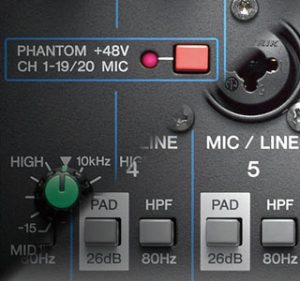
I have been asked this question a few times, “Will my amp be damaged by phantom power if I use the DI to connect to the desk”?
The best answer is use a transformer-isolated DI box and then you will never have to wonder. This question is almost always asked by people or small bands performing a small live gig and on a tight budget.
So can you be sure in another way?
First and foremost does the setup you are using need phantom power switched on? If you do not have any condenser mics in your setup and there are no DI boxes that power from phantom power turn it off.
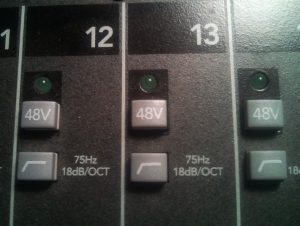
The next place to look is at how the phantom power is presented from the mixing desk desk. It doesn’t matter if this is an analogue or a digital desk, the point of connection for both types is the same (digital snakes and stage boxes excluded).
With a low cost mixer, phantom power is often on or off for all channels. As the cost of a desk rises, the phantom power arrangements become more accommodating, from groups of 8 to groups of 4 and finally individually on each channel.
If the phantom power is organised in groups make sure that all equipment that needs phantom power is in the same group, so the smallest number of groups are used for phantom power (input patching on digital desks may help in keeping things tidy).
Anything that needs to avoid phantom power MUST be in an un-powered group. A typical assignment may be channels 1-8 mics and phantom powered DI boxes, channels 9-16 non-powered mics and DI’s. As all but old vintage ribbon mics are okay with phantom power turned on, the phantom power groups could considered as a mic group.
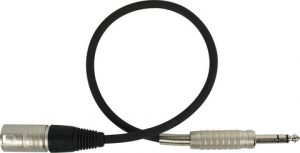
Which ever arrangement your desk has, phantom power, should only be present on the XLR inputs. if a TRS jack socket is also available on the channel, it is highly unlikely (but not impossible) that phantom power will not be present at the TRS connection. Most mixer manuals provide you with a block diagram of the mixer, this should clearly show which of your inputs will have phantom power when it is switched on.
Where the mixer is at the end of a snake, assume nothing! It is very likely that it will be all XLR’s at the desk end of an analogue snake. Therefore these will naturally be connected to the XLR connections on the desk. For one setup I changed 8 of the XLR’s on the desk end of a snake for TRS jacks to ensure they would never get phantom power.
As a general rule it is the bass amps that are more likely fall foul of phantom power as some do not AC couple the signal in order to keep the frequency performance, allowing 48V straight into your amp. Even AC coupled DI lines will get a spike of 48V when connecting to a desk with phantom power, so assume the worst and avoid phantom power on a DI!
The best advice is read and understand your amp’s manual. If you use the same setup for each gig keep the setup as constant as possible, connect to the same inputs each time, and if possible the understand the mixer you’re connecting to. If you can’t or don’t want to understand the technicalities of the setup, to be sure use an isolating DI box, know how to protect yourself.
Talk nicely to the sound guy they are usually very knowledgeable and accommodating. Remember it is not the sound-mans job to know if it will blow your amp up.