Digital Mixer Input Mapping – Part 2
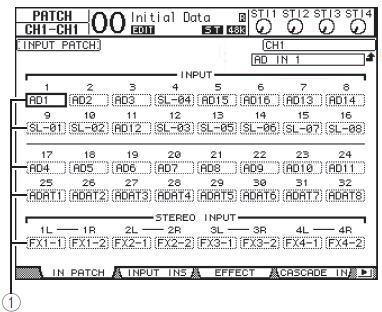
Step 5: On the mixer go to the input patching screen. On the O1V96i this is selected by pressing DISPLAY ACCESS [PATCH] button repeatedly until the Patch | In Patch page appears.
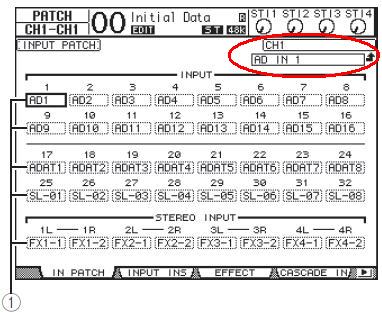
This shows the default mapping for all inputs to faders. The red highlighted area shows the selected map AD IN 1 -> CH1. Marker 1 shows the input selections.
Step 6: Using the cursor keys to select the fader, turn the jog wheel to change the input assigned to the fader. Do not forget to press enter to lock in the change before selecting the next fader. Repeat Step 6 until all mappings have be configured.
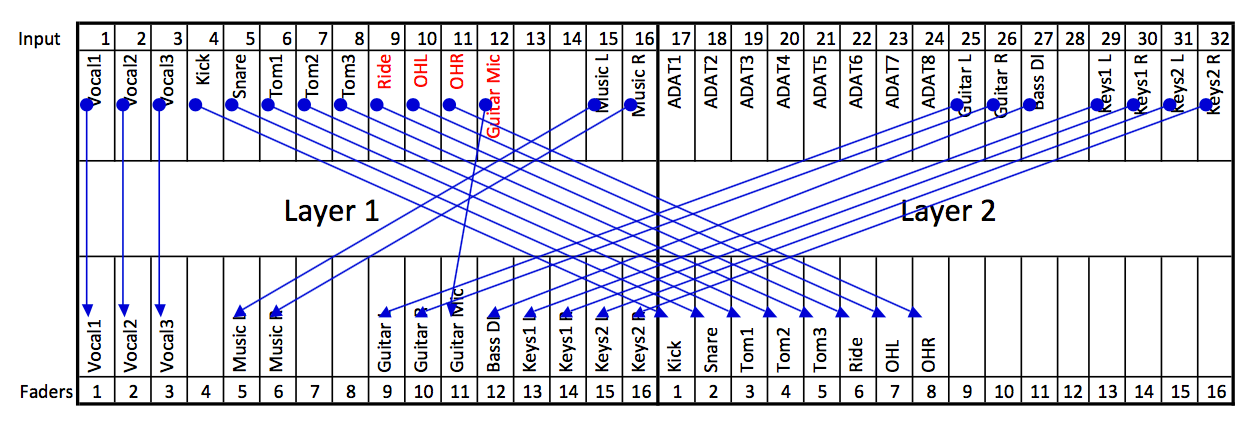
Step 7: The final mappings can be seen below. Notice that unused faders have been mapped to unused inputs. Save the changes to a scene memory so that they can easily be recalled.